Last Tab

Switch Safari tabs
like you switch apps.

Last Tab brings the Alt-Tab / Command-Tab experience you already know to Safari tabs. Hold your shortcut, tap to cycle, release to jump.

See how it works Coming soon to the Mac App Store
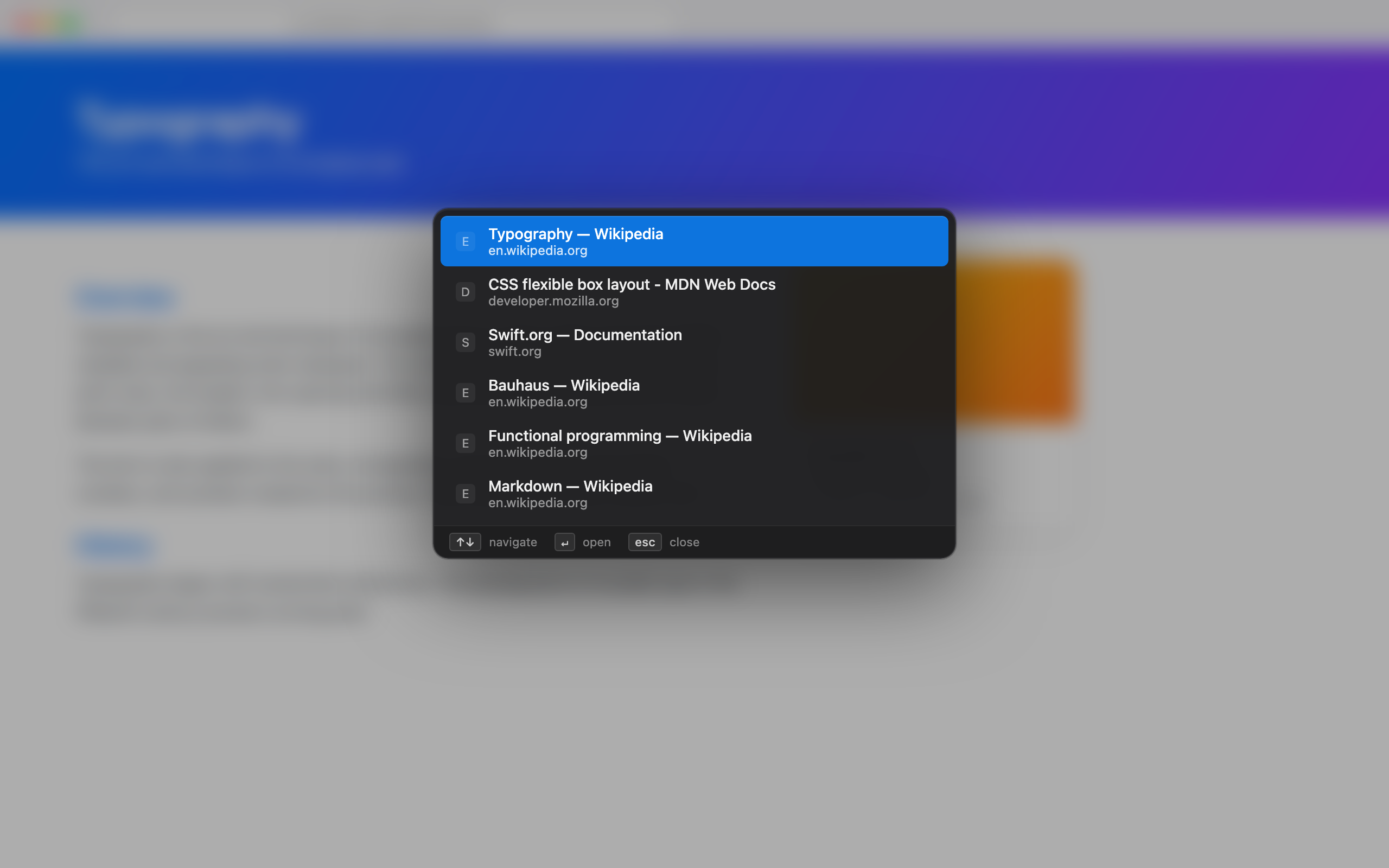
Last Tab cycling overlay showing recent Safari tabs
Hold Option, tap Tab to move through recent tabs, release to switch.
Built for speed

Most-recently-used order

Your last tab is always one tap away — exactly like app switching.

Hold and release

Hold the modifier, tap to move through the list, release to commit. No mouse.

Forward and back

Cycle either direction with separate, fully customizable shortcuts.

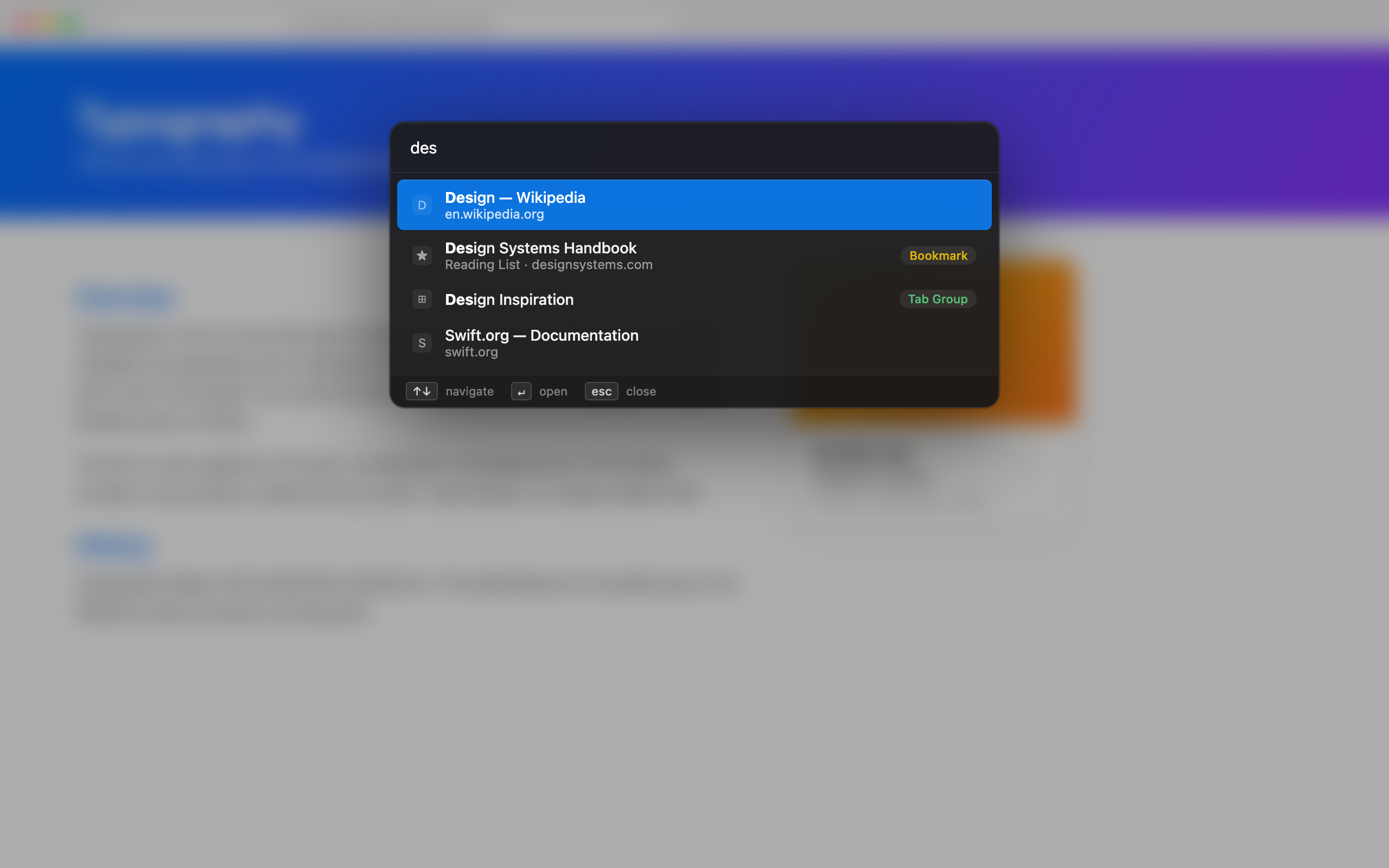
Search everything

Jump to any open tab, favorite, or tab group by typing a few letters.

Window-aware

Cycle within the current window or across every Safari window — your choice.

Stays out of the way

Runs from the menu bar. No Dock icon, no clutter, no account.

Last Tab search across tabs, favorites and tab groups
Search across open tabs, favorites, and tab groups.
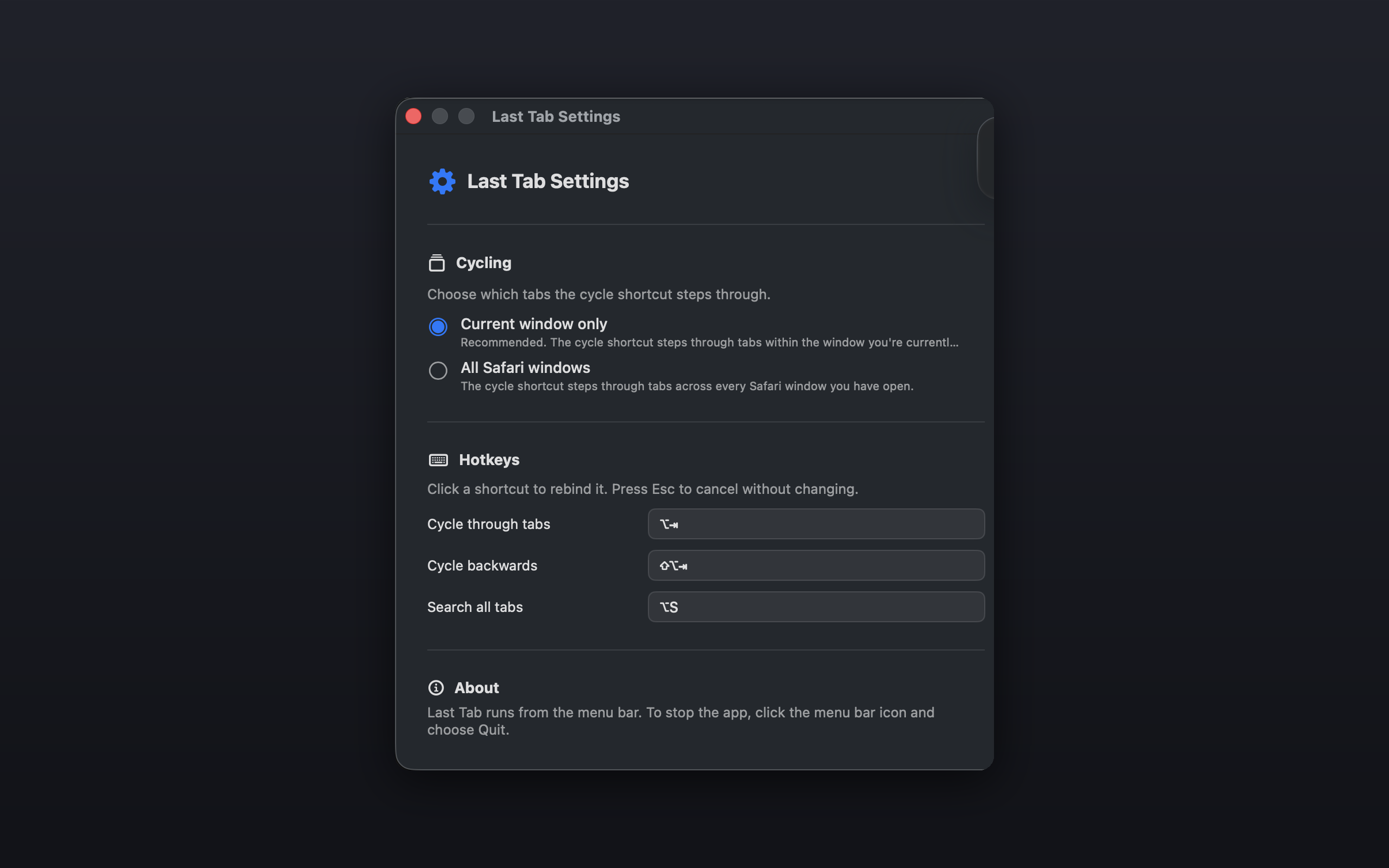
Last Tab settings window
Simple settings: cycle scope and fully rebindable shortcuts.

Private by design

Last Tab collects nothing. No analytics, no accounts, no network requests. Your tabs never leave your Mac.